
Realtime Concurrent Peak Connections in Supabase: What It Means (And What Happens If You Exceed It)
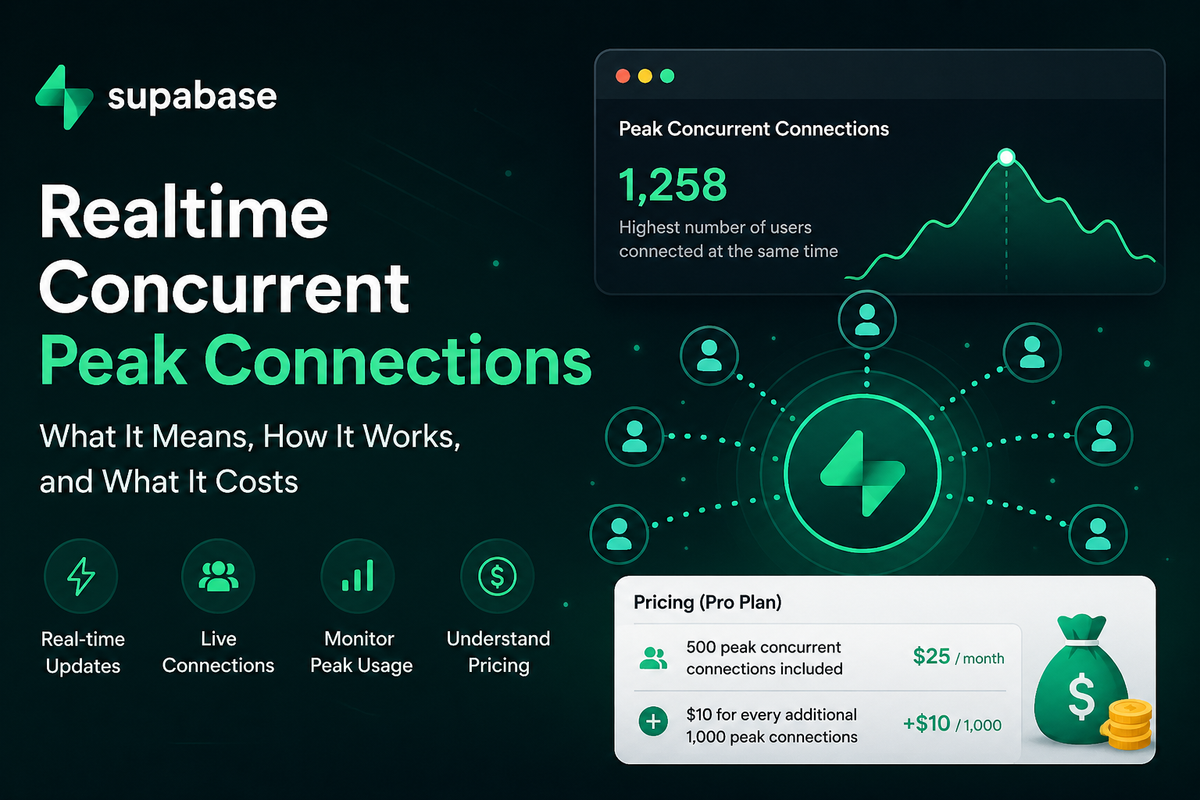
If you’ve ever looked at your Supabase dashboard and felt confused by “Realtime Concurrent Peak Connections” — you’re not alone.
It sounds technical and scary, but it’s actually straightforward. And it directly affects your monthly bill as your app grows.
This guide explains everything in plain English — no jargon, with simple analogies and real examples.
What Is Supabase Realtime?
Supabase Realtime lets your app push live updates to users instantly — no page refreshes needed.
Think of popular apps you use every day:
- WhatsApp — messages appear instantly
- Food delivery apps — live order tracking
- Stock trading apps — real-time price updates
- Collaborative tools like Notion — multiple people editing at once
- Multiplayer games — players seeing each other’s actions live
This magic happens because your app keeps an open connection to the server using WebSockets. Updates flow in real time.
Think of It Like a Phone Call (Not SMS)
Regular apps are like SMS:
- Send a request → Wait → Get response
Realtime is like a phone call:
- The line stays open the whole time
- Information flows instantly in both directions
Your users stay “connected” to Supabase, allowing lightning-fast updates.
Breaking Down the Terms
Concurrent Connections
One active device connected to your app = 1 connection
Examples:
- 1 user on phone → 1 connection
- Same user opens laptop too → 2 connections
- 500 users online at once → 500 concurrent connections
Concurrent = happening at the same time.
Peak Connections
Peak = the highest number of concurrent connections in a billing period (usually a month).
Your app might have:
- Morning: 150 users
- Afternoon: 800 users
- Evening spike: 2,400 users
→ Your peak for the day/month = 2,400
Total users who visited don’t matter. Only the maximum simultaneous users count.
The Restaurant Analogy (Easiest Way to Understand)
You own a restaurant:
- You serve 2,000 customers per day
- But you only have 150 seats
What matters for operations is how many people are sitting at the same time — not total footfall.
Supabase Realtime works the same way. It’s about simultaneous “seats” (connections), not total visitors.
Why Does Supabase Charge for This?
Maintaining open connections costs real money:
- Server resources
- Memory
- Data transfer
- Instant message delivery
- Scaling infrastructure reliably
The more simultaneous users you have, the more Supabase has to allocate.
Current Supabase Realtime Pricing (2026)
Free Plan
- 200 peak concurrent connections
- 2 million realtime messages/month
Exceeding limits usually requires upgrading.
Pro Plan — $25/month
- 500 peak concurrent connections included
- 5 million realtime messages included
Overage charges:
- $10 per additional 1,000 peak connections
- $2.50 per additional 1 million messages
Real-World Examples
Example 1: Growing App
You’re on Pro plan. Your peak hits 2,300 concurrent users.
- Included: 500
- Extra: 1,800
- Billed in 1,000 blocks → 2 blocks = $20 extra
Total bill: $25 + $20 = $45/month
Example 2: Viral Moment
Your app suddenly peaks at 8,500 users.
- Included: 500
- Extra: 8,000 → 8 blocks
- Extra cost: $80
Total bill: $105/month
Still very reasonable compared to building your own realtime backend.
Common Misconception
“I have 100,000 users — I’ll need tons of connections!”
Not true.
Only users online at the exact same time count.
A shopping app with 100k total users might only have 300–400 people active simultaneously.
Apps That Need to Monitor This Closely
- Live chat / messaging apps
- Multiplayer games
- Collaborative tools
- Live auctions or betting platforms
- Stock/crypto trackers
- Food delivery / ride-sharing trackers
- Event streaming platforms
How to Keep Costs Low
Here are practical tips:
- Disconnect inactive users automatically
- Use Realtime only where needed (not on every page)
- Close connections when users close tabs or go idle
- Use push notifications instead of constant connections for some features
- Monitor your dashboard regularly
Should You Worry?
No, if you're building:
- A blog
- Portfolio site
- Simple business website
- Basic e-commerce (without live features)
Yes, if your app relies heavily on live updates.
Final Thoughts
“Realtime Concurrent Peak Connections” simply means:
The highest number of users connected to your app at the same moment.
Understand this one metric, and Supabase billing becomes predictable and manageable.
It’s like restaurant seating capacity, rush-hour traffic, or seats in a conference room.
Once you get it, planning for growth becomes much easier.
Have questions about your specific use case? Drop them in the comments!
This post is based on official Supabase pricing as of April 2026.


Comments ()